CtrlAltCat Game
Autumn Art Studio for Young Artists
Kids Creative Art Leisure

Autumn Art Studio for Young Artists

🎮 Mars Shade Studio🕐 2026-07-30

This digital coloring activity stands out for its child-friendly design. The large buttons and clear labels allow even non-readers to navigate independently. The lack of timers or scores creates a calm environment where children can focus on the joy of coloring. The autumn theme provides a seasonal context that many kids find engaging. The ability to save and share artwork adds a nice social element. Overall, it is a well-designed tool for encouraging creativity in young children.

Advertisement

About this game

Getting Started with Digital Art

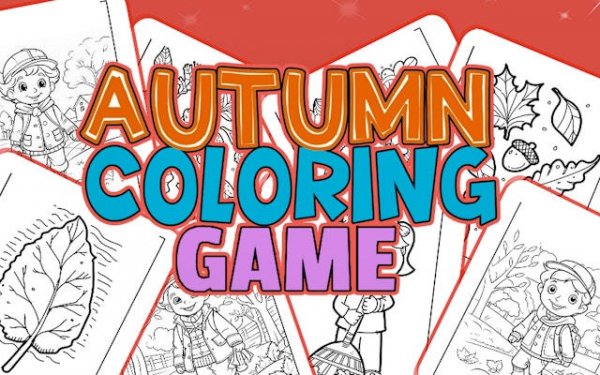
Young artists begin by browsing a gallery of autumn-themed pictures. Each image features simple outlines of seasonal items like leaves, pumpkins, and trees. After selecting a picture, children choose a color from a palette that offers both preset options and a wider selection through a color wheel. The coloring process is straightforward: tap on any section to fill it with the chosen color. The interface responds instantly, providing immediate visual feedback that keeps children engaged. A zoom tool allows for more precise work on smaller areas, while an undo button lets them correct mistakes without frustration.

Creative Tools and Options

The activity includes several features that support artistic expression. A color wheel provides access to many shades, while preset palettes offer quick choices for common autumn colors. Some pictures include patterns that can be applied to sections, adding texture and variety to the finished work. A gradient effect allows colors to blend smoothly, creating more complex looks. These tools are presented in a simple way that does not overwhelm young users. The focus remains on the act of coloring rather than navigating complicated menus.

Saving and Sharing Artwork

Once a picture is complete, families have several options. The activity supports saving progress, so a child can return to a picture later and finish it. Cloud save options mean artwork can be accessed from different devices. Finished pieces can be printed or shared as digital images. This allows parents to display their child's work or send it to relatives. The ability to share creations adds a social element that many children enjoy, as they can show off their artistic achievements.

Design for Young Users

This coloring activity is designed with young children in mind. Large touch targets and clear labels mean that children who cannot read yet can still participate independently. The lack of timers or scores removes any pressure, allowing kids to focus on the process rather than the outcome. The autumn theme provides a seasonal context that many children find familiar and comforting. Parents can feel confident that their child is engaging in a safe, educational activity that promotes fine motor skills and color recognition without exposure to inappropriate content.


Compatibility

Play on Any Device | Chrome / Safari / Edge Recommended

FAQ

Frequently Asked Questions

Is Autumn Art Studio for Young Artists free to use?
The availability and pricing of this activity depend on the platform where it is accessed. Many similar digital coloring activities are offered for free with optional in-app purchases or as part of a subscription. Check the specific app store or website for details.
What devices support this coloring activity?
This activity is designed to work on tablets and computers. The interface uses large buttons and bright colors, making it easy to navigate on touchscreens as well as with a mouse. Specific operating system requirements may vary by platform.
Can my child save their work and come back later?
Yes, the activity supports saving progress. Children can save a picture they are working on and return to it later to finish. Cloud save options are also available, allowing artwork to be accessed from different devices.
Are there any advertisements in this coloring app?
This depends on the version of the activity. Some free versions may include advertisements, while paid versions are often ad-free. Parents should review the app description or website for specific information about advertising.
What age group is this activity designed for?
This coloring activity is designed for young children, particularly those in the preschool age range. The simple pictures, large touch targets, and easy-to-use interface make it suitable for children as young as two or three years old.
Does the activity require an internet connection?
Some features, such as cloud saving and sharing artwork, may require an internet connection. However, the basic coloring functionality may be available offline depending on how the activity is accessed. Check the specific platform for details.

Comments

0 comments
U
User
Loading comments...

Share this page

Copy the link below and share it with your friends!