
Core Gameplay Loop
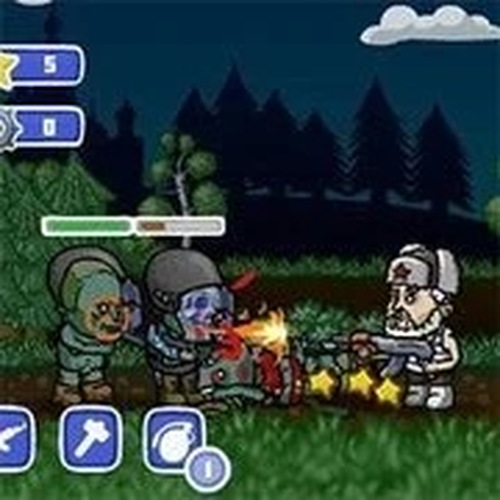
Perimeter Protector: Endless Defense places you in a fixed area where waves of creatures approach from both sides. Your task is to move your character left or right across the playfield, using a mouse to target and defeat each creature. The game emphasizes quick decision-making: when creatures cluster, you can activate area tools to clear them efficiently. Close-range tools are available for creatures that get too near. The loop of moving, aiming, and using tools repeats with increasing intensity, testing your ability to prioritize threats.
Tool Selection and Resource Management
Players have access to two main tool categories: area-effect and close-range. Area tools are best used when multiple creatures gather, while close-range tools handle immediate dangers. During gameplay, supply crates and power-ups appear, offering extra resources. Opening these early can provide a buffer for tougher waves. Managing these tools wisely is key, as using them at the wrong time can leave you vulnerable. The game encourages experimentation to find the best tool for each situation.
Wave Progression and Difficulty Curve
Waves of creatures grow more challenging over time, with later waves introducing faster or more numerous foes. The difficulty ramps gradually, giving new players time to learn the controls and veteran players a steady challenge. Each wave requires sharper reflexes and smarter tool usage. The endless nature means there is no final level, only a personal best to beat. This structure keeps the experience fresh, as each session can play out differently based on creature patterns and tool availability.
Visual and Audio Design
The game uses a clean, colorful visual style that makes creatures and tools easy to distinguish. Animations are smooth, helping players track movement and tool effects. Sound effects provide clear feedback for tool activations and creature defeats, aiding situational awareness. The overall design is family-friendly, with no graphic content, making it suitable for players of all ages. The interface is simple, with health and tool indicators clearly displayed.
Accessibility and Learning Curve
Controls are straightforward: move with keyboard keys and aim with the mouse. New players can grasp the basics within minutes, but mastering tool timing and movement efficiency takes practice. The game does not punish failure harshly, encouraging repeated attempts. This design makes it accessible for casual players while offering depth for those who want to improve. The lack of complex menus or tutorials means players jump directly into the action.



Comments
0 comments