

Naval Grid Sweeper Logic Puzzle
A clean, engaging logic puzzle that rewards careful thinking and pattern recognition.
Classic FreeCell Solitaire is a timeless card game that challenges your strategic thinking. The goal is to clear the board by organizing all cards into foundation piles, starting with Aces and building up to Kings. You move cards between tableau columns, using four free cells as temporary storage. Each move requires planning, as you can only place a card on a column if it is one rank lower and of the opposite color. The game is won when all cards are in the foundation piles. It is a perfect blend of logic and patience, suitable for players of all ages. You can play it directly in your browser, with no downloads or installations required. Whether on a desktop or mobile device, Classic FreeCell offers a smooth and engaging experience. Plan ahead and see how fast you can complete the game. It is a great way to relax while keeping your mind sharp.
To play Classic FreeCell, start by looking at the tableau of cards. You can move cards between columns, but only if the card you are moving is one rank lower and of the opposite color. Use the four free cells at the top to temporarily hold cards. The goal is to move all cards to the foundation piles, starting with Aces and building up to Kings. Plan your moves carefully, as each decision affects your ability to clear the board. The game is won when all cards are in the foundation piles. You can play on mobile by tapping cards, or on desktop by clicking and dragging. No time limits mean you can think through each move. Challenge yourself to beat the game in the fewest moves possible.
Strategic gameplay. Free online access. Mobile-friendly design. Full screen mode. Classic FreeCell offers a wonderful way to enjoy a classic card game that sharpens your mind. With easy-to-learn rules and strategic depth, it provides hours of fun for players of all ages. Play it free and challenge yourself to achieve the highest score.
To excel in FreeCell, always plan several moves ahead. Use the free cells wisely—they are limited, so reserve them for critical cards. Try to uncover hidden cards early to open up more moves. Avoid filling all free cells unless necessary, as this can block your progress. Practice regularly to improve your ability to see sequences and solve puzzles faster. Remember, patience and careful thinking are your best tools.
A clean, engaging logic puzzle that rewards careful thinking and pattern recognition.

A clean, festive puzzle game that blends math and strategy. Perfect for quick, brain-teasing fun.
Clean design and smooth gameplay. Great for short breaks or longer sessions.
Charming cat theme and smooth block puzzles. Perfect for relaxing breaks.
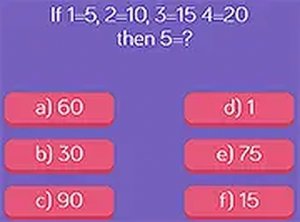
Clean design and smooth gameplay. Great for short breaks and improving logic skills.
Smart puzzles that get harder gradually. Clean design and smooth gameplay. Great for short breaks.
Clean design and smooth controls. Great for short breaks and mental exercise.
Clean design and smooth gameplay. A simple yet engaging number puzzle for quick breaks.
Charming Halloween theme with smooth match-3 gameplay. Great for quick, relaxing breaks.