

Naval Grid Sweeper Logic Puzzle
A clean, engaging logic puzzle that rewards careful thinking and pattern recognition.
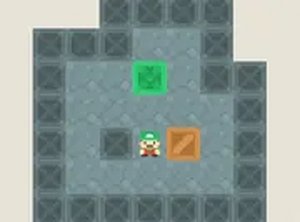
Show is an engaging puzzle platform HTML5 game that invites you to help a charming little creature navigate through each level. Your goal is to find the way to the finish by jumping on platforms, but you have a unique ability: you can break some blocks and then place them where needed. This creative mechanic adds a strategic layer to the classic platforming experience. You'll also need to locate keys to unlock doors and progress to the next level. With its simple controls and delightful character, Show offers a relaxing yet challenging adventure that keeps you entertained. The game runs smoothly in your browser, requiring no downloads, and is completely free to play. Whether you're on a mobile device or desktop, you can enjoy this charming puzzle platformer anytime.
To play Show, use the arrow keys or on-screen controls to move the little creature left, right, and jump. The key mechanic is breaking blocks: press a specific button to destroy certain blocks, then use the same button to place them in empty spaces to create new platforms. This allows you to reach higher areas or cross gaps. Explore each level to find the key, which is often hidden or placed on a hard-to-reach platform. Once you have the key, head to the locked door to unlock it and advance to the next level. The game gradually introduces new challenges, requiring careful timing and strategic block placement. It's easy to learn but offers plenty of fun for players of all ages.
Creative block-breaking and placing mechanics. Charming character design. Family-friendly puzzle platforming. Free to play with no downloads. Works on mobile and desktop browsers.
Take your time to survey each level before moving. Plan your block placements carefully to create efficient paths. Use the block-breaking ability sparingly, as some blocks may be needed later. Practice timing your jumps to avoid falling into gaps. Experiment with different block placements to discover shortcuts or hidden areas. The key is often in a tricky spot, so explore thoroughly.
A clean, engaging logic puzzle that rewards careful thinking and pattern recognition.

Clever block mechanics and cute visuals. Perfect for casual puzzle fans.
Nice variety of puzzles and modes. Smooth controls and bright graphics. Good for quick mental breaks.
Clean design and smooth gameplay. Great for short breaks. The varied grids keep it interesting.
A clean, festive puzzle game that blends math and strategy. Perfect for quick, brain-teasing fun.
Charming cat theme and smooth block puzzles. Perfect for relaxing breaks.
Clean design and smooth controls. Great for short breaks and mental exercise.

Clean design and smooth controls. A fun reflex challenge for quick breaks.
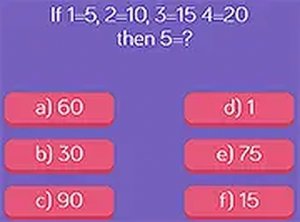
Clean design and smooth gameplay. Great for short breaks and improving logic skills.